Best Wedding Photo Apps 2026 (Ranked & Reviewed)
9 wedding photo apps ranked by participation rate, photo quality, setup time, and cost — including GuestPix, GuestCam, POV, and WedShoots. Browser-based QR code platforms collect 2× more photos than app-based alternatives.

Quick Answer
9 wedding photo apps ranked by participation rate: Snapeen (#1, browser-based, no download, from $24.99), GuestPix (#2, browser-based bundle with guestbook and invites, $49–177), GuestCam (#3, browser-based with audio guestbook, $49–97), POV (#4, digital disposable camera with next-day reveal, free–$89.99), WedShoots (#5, free but app-based), WedUploader (#6, free uploads into your own Google Drive), Google Photos (account required), WhatsApp (compressed), Instagram hashtag (public posts only). For most weddings, Snapeen is the clear recommendation — no download, original quality, live slideshow, and the highest participation at the lowest paid price on the list.
The one metric that actually matters
Most reviews compare features — gallery layouts, slideshow animations, editing tools. That's the wrong lens. The only metric that matters is how many guests actually upload photos on the day. A beautifully designed platform with a 30% participation rate is worth less than a plain upload page that gets 80% of your guests contributing.
This guide ranks 9 platforms on that primary metric — plus setup time, photo quality, cost, and a few edge-case factors that most reviews miss. (Updated August 2026: added GuestPix, GuestCam, POV, and WedUploader; removed two platforms that are no longer meaningful options.)
Quick answer: For the vast majority of weddings, Snapeen is the best wedding photo app in 2026. It requires no download from guests, is where the largest guest galleries we have seen were collected (up to 349 photos from one wedding), and takes under 5 minutes to set up.
How we evaluated each platform
Each platform was assessed across five criteria:
- Guest participation rate — percentage of guests who see the sign/prompt and complete at least one upload
- Photo quality — original vs compressed
- Setup time — from account creation to a working QR code or shareable link
- Live features — whether photos appear in real time during the reception
- Cost — one-time or subscription pricing per event
Participation rate is weighted most heavily because no other metric compensates for it. 200 high-quality photos from 20% of your guests is a worse outcome than 900 original-quality photos from 75% of them.
#1 — Snapeen
Type: Browser-based (no download required) Participation rate: Highest of the group (no app, no account) Photo quality: Original Setup time: Under 5 minutes Live slideshow: Yes (paid plans) Cost: Free · $24.99 One-Time · $49.99 Premium
How it works: You create an event on snapeen.com, download the generated QR code, and display it at your venue. Guests point their phone camera at the code, tap the link, and upload photos directly through their browser. No app download, no account, no login. Photos appear in your dashboard in real time.
Why it wins on participation: The zero-friction model is the reason. In Snapeen's own data, 8 in 10 guests who start an upload finish it. The only step between "see the code" and "photo uploaded" is selecting a photo and tapping Upload. That's it. App-based alternatives lose contributors at the install step, before a single photo is shared.
What you get at each price point:
- Free — 50 photos, 5 videos, gallery kept 30 days after the event. Works for small engagement parties or showers.
- One-Time ($24.99) — 200 photos, original quality, 3-month upload window and 12-month gallery after the event, custom QR code without Snapeen watermark. Right choice for weddings under 80 guests.
- Premium ($49.99) — Unlimited photos and videos, 12 months of uploads and gallery after the event, live slideshow (photos appear on a venue screen in real time), branded event page, priority support. Right choice for 100+ guest weddings and destination events.
Standout feature: The live slideshow. When guests see their photos appearing on a screen mid-reception, participation spikes — there's an immediate social incentive that drives more uploads. Couples using the live slideshow collect an average of 40% more photos than those on the same plan without it active.
The one limitation: Storage has a window (30 days to 12 months after your event, depending on plan). Set a calendar reminder to download your full gallery within the first weeks after the wedding — before you leave for the honeymoon or get busy with thank-you notes.
Best for: Any wedding where maximum guest photo collection is the goal. Especially strong for mixed age groups, weddings over 80 guests, and events where the live slideshow will run.
#2 — GuestPix
Type: Browser-based (no download required) Participation rate: 60–80% Photo quality: Original Setup time: 10–15 minutes Live slideshow: Yes Cost: One-time, roughly $49–177 depending on tier (12-month hosting)
How it works: The same core mechanic as Snapeen — guests scan a QR code and upload through the browser, no app or account. On top of photo collection, GuestPix bundles a digital guestbook, digital invitations with RSVP, and a large library of printable QR sign templates.
Where it does well: Breadth. If you want photo collection, a written guestbook, and invitations handled by a single vendor, GuestPix covers all three. The 12-month hosting window is also generous — you have a full year to download everything.
Trade-offs: Price. The wedding tiers run from around $49 to $177 one-time, so a comparable feature set costs 2–3× more than Snapeen's Premium plan. Pricing is also split across multiple per-event-type pages and tiers, which makes it harder to compare at a glance. As with any browser-based platform, expect participation in the same 60–80% band — the mechanic, not the brand, drives that number.
Best for: Couples who want photos, guestbook, and invites from one vendor and are willing to pay for a year of hosting. Weighing it against cheaper options? See GuestPix alternatives compared.
#3 — GuestCam
Type: Browser-based (no download required) Participation rate: 60–80% Photo quality: Original Setup time: 10 minutes Live slideshow: Yes Cost: $49 Standard or $97 Premium one-time; paid add-ons
How it works: Browser QR uploads like Snapeen and GuestPix, with one genuinely distinctive extra: an audio guestbook is included in every plan, so guests can leave voice messages alongside photos and videos. Standard gives a 6-month upload window with 12-month storage; Premium extends both.
Where it does well: The audio guestbook. If recorded voice messages from your guests matter to you, GuestCam builds that in rather than selling it as separate hardware (audio guestbook phone rentals often cost $100+ on their own).
Trade-offs: The add-ons add up. The AI face-finder (MagicFind) is an extra $45 and a dial-in guestbook phone number is another $30, so a fully loaded setup lands well above the sticker price. At $49–97 base, it's 2–4× Snapeen's pricing for the same core photo-collection outcome.
Best for: Couples who specifically want an audio guestbook bundled with guest photo collection.
#4 — POV
Type: Digital disposable camera (QR code opens a lightweight App Clip camera) Participation rate: 40–60% Photo quality: Shot through the in-app camera Setup time: 10 minutes Live slideshow: No — photos are revealed the next day by design Cost: Free up to 10 guests, then $4.99 (25 guests) up to $89.99 (250 guests)
How it works: POV recreates the disposable-camera experience digitally. Guests scan a QR code, a camera opens on their phone, and they shoot through it during the event. Nobody sees the results until the "film" is developed — photos are revealed the next day. It's the app behind the disposable camera app trend all over TikTok.
Where it does well: The vibe. The next-day reveal creates genuine anticipation, and shooting through a constrained camera produces candid, unposed moments. For parties that want the retro experience, POV executes it better than anyone.
Trade-offs: The model works against total photo volume. Guests' best shots usually live in their camera roll — taken with the native camera, not through an app — and POV's shoot-through-the-app model never collects those. The reveal delay also means no live slideshow at the reception. And pricing scales with guest count, so a 250-guest wedding costs $89.99 for what is deliberately a partial photo record.
Best for: Couples who want the disposable-camera aesthetic and next-day reveal as an experience — ideally alongside, not instead of, a browser-based collection platform for the full photo archive.
#5 — WedShoots
Type: App-based Participation rate: 35–45% Photo quality: Original Setup time: 10–15 minutes Live slideshow: Yes Cost: Free (owned by WeddingWire)
How it works: Guests download the WedShoots app from the App Store or Google Play, create an account, and upload photos through the app. Hosts manage everything through a web dashboard that includes a live photo stream and slideshow output.
Where it does well: It's completely free with no upsell — WeddingWire runs it as part of its wedding-planning ecosystem. The in-app gallery is polished, photos are organized and searchable, and for a free product the host dashboard is genuinely capable.
The participation problem: App installation is a hard barrier. People at a wedding reception are not primed to spend 3–4 minutes finding an app, installing it, creating an account, and then uploading. Participation data consistently puts app-based platforms 20–40 percentage points below browser-based alternatives. At a 120-person wedding: 42–54 contributors vs 78–102 contributors for a browser-based system. That's 200–400 fewer photos — the real cost of the free app.
Best for: Budget-first couples with a young, app-comfortable guest list who are already in the WeddingWire ecosystem and will accept fewer photos in exchange for $0.
#6 — WedUploader
Type: Browser upload straight into your Google Drive Participation rate: 50–70% Photo quality: Original Setup time: 10 minutes Live slideshow: No Cost: Free (uses your own Google Drive storage); one-time premium upgrade available
How it works: Guests open a link or scan a QR code and upload through the browser — no app, no account — and the files land directly in your own Google Drive. WedUploader's pitch is ownership: because photos sit in your Drive, "albums never expire."
Where it does well: The never-expires angle is real. There's no storage window to race against, and you own the files from the second they upload.
Trade-offs: Your Drive's free 15GB fills fast — a single wedding's worth of guest videos can consume most of it, at which point you're paying for Google One anyway. There's also no event experience around the files: no live slideshow, no polished shared gallery for guests to browse, and organizing hundreds of raw uploads in Drive folders is manual work.
Best for: Practical couples who prioritize permanent file ownership over the event-day experience and already live in Google's ecosystem. Weighing it seriously? See our full WedUploader alternatives comparison.
#7 — Google Photos shared album
Type: Browser-based (but requires Google account) Participation rate: 15–25% Photo quality: Original Setup time: 5 minutes Live slideshow: No Cost: Free
How it works: Create a shared album in Google Photos and share the link via text, QR code, or the wedding website. Guests tap the link and — if they have a Google account and are signed in — can add photos directly to the album.
The account requirement is the problem: The moment a guest sees "sign in with Google," a large portion of them stop. People at a wedding reception don't want to remember their Google password or deal with two-factor authentication. Participation reliably lands in the 15–25% range, significantly lower than any dedicated platform.
Where it makes sense: Google Photos is genuinely fine for events under 20–25 people where you know all guests have Google accounts and are tech-comfortable. Family group chats where you'd share a Google Photos album after the fact work well. But for a 100-person wedding with a mixed guest list, it will produce fewer photos than any dedicated alternative.
Cost trade-off: Free, but the opportunity cost is real — you'll collect 300–500 fewer photos than a $24.99 Snapeen plan would produce.
Best for: Very small, tech-comfortable events. Not recommended for full weddings.
#8 — WhatsApp group
Type: Messaging group Participation rate: 35–50% share at least one photo Photo quality: Compressed by 40–70% Setup time: 10 minutes Live slideshow: No Cost: Free
How it works: Create a WhatsApp group before the wedding, add all guests' numbers, and ask them to share photos in the group. Most guests are already on WhatsApp, which gives it a higher initial participation rate than app-based dedicated platforms.
The quality problem: WhatsApp compresses every photo it passes through, by 40–70% depending on the original file. Photos that look great on a phone screen are often unusable for printing — pixelated, washed out, or blocked when enlarged. If you plan to print any guest photos in a photo book or as wall art, WhatsApp photos will disappoint.
The organizational problem: A WhatsApp group is a conversation, not a gallery. Photos scroll away as new messages arrive. By the morning after the wedding, the group has filled with memes, voice notes, and check-in messages, and the photos are buried. Downloading everything individually is tedious.
Where it actually works: Casual pre-wedding events (bachelorette, engagement party) where print quality isn't the priority. As a fallback for guests who can't find or won't scan the QR code. Not as a primary photo collection strategy for the wedding day.
Best for: Informal pre-wedding events; backup channel for guests who miss the QR code.
#9 — Instagram hashtag
Type: Social media hashtag Participation rate: 10–20% Photo quality: Compressed, filtered Setup time: 2 minutes Live slideshow: No (with third-party tools, yes) Cost: Free
How it works: Create a custom hashtag (e.g., #SarahAndJohn2026) and ask guests to post photos publicly using the tag. You monitor the hashtag and save photos.
Why it ranks last: Instagram photos are compressed twice — once when posted, once when downloaded. The quality is insufficient for printing in most cases. Only guests who are already on Instagram and actively posting will contribute, which in 2026 skews toward a subset of younger guests. Participation rates are the lowest of any method. Photos on public posts are also visible to anyone, which raises privacy considerations.
The one use case: If you want guests to share a public announcement — a few posed photos from the reception — an Instagram hashtag can generate social content. For building a private, high-quality photo archive of your wedding day, it's the weakest option on this list.
Best for: Social media content generation only. Not recommended as a primary photo collection method.
Full comparison table
| Platform | Type | Participation | Quality | Setup | Live slideshow | Cost |
|---|---|---|---|---|---|---|
| Snapeen | Browser | Highest (no app, no account) | Original | 5 min | Yes (paid) | Free–$49.99 |
| GuestPix | Browser | High (browser) | Original | 15 min | Yes | $49–177 one-time |
| GuestCam | Browser | High (browser) | Original | 10 min | Yes | $49–97 + add-ons |
| POV | App Clip camera | Medium (App Clip step) | In-app camera | 10 min | No (next-day reveal) | Free–$89.99 |
| WedShoots | App | Lower (install + account) | Original | 15 min | Yes | Free |
| WedUploader | Browser → Drive | Medium (Drive login) | Original | 10 min | No | Free + your Drive storage |
| Google Photos | Browser* | Low (Google sign-in) | Original | 5 min | No | Free |
| WhatsApp group | Messaging | Medium (group join) | Compressed | 10 min | No | Free |
| Instagram hashtag | Social | Low (public posts only) | Compressed | 2 min | No | Free |
*Google Photos requires a Google account sign-in, which acts as a participation barrier equivalent to an app install.
Which app to choose based on your situation
You want to maximize guest photo count, mixed age group (recommended for most weddings): Snapeen Premium. Put QR codes on every table card and at the bar, ask the DJ to make the announcement twice, and run the live slideshow. Expect 700–1,100 photos.
You want photos, a guestbook, and invitations from one vendor: GuestPix if you'll use the full bundle; GuestCam if the audio guestbook is the priority. Both cost 2–4× more than Snapeen for the photo-collection core, so only pay for the bundle if you'll actually use it.
You want the disposable-camera experience: POV. Run it alongside a browser-based platform — POV for the retro reveal, a QR upload gallery for the complete photo archive.
You're on a zero budget: Snapeen's free plan for small events, WedShoots if your guest list will tolerate an app install, or WedUploader if you want files permanently in your own Google Drive. Avoid WhatsApp if print quality matters.
You want to automatically distribute your professional photographer's shots to guests: That's a different job — AI face-matching tools like Waldo Photos handle it. Pair one with a browser-based platform for collecting the guests' own photos.
You have significant international guests or guests over 60: Browser-based only. Do not rely on an app-based platform — the install barrier is particularly high for these groups. Snapeen is the clear recommendation.
The bottom line
The wedding photo app debate largely comes down to one question: do you want guests to install something? If yes, you will collect 40–50% fewer photos than if the answer is no. Browser-based platforms have consistently outperformed app-based alternatives on the only metric that matters: how many guests actually upload.
Among the browser-based options, the mechanic is similar — the differences are price and extras. GuestPix and GuestCam charge $49–177 for bundles built around guestbooks and invitations; Snapeen delivers the core outcome (maximum guest photos, original quality, live slideshow) from $24.99. For 95% of weddings, the recommendation is Snapeen. The exceptions: you'll genuinely use a bundled guestbook or audio guestbook (GuestPix/GuestCam), or you want the disposable-camera reveal as an experience layer (POV, alongside a QR gallery). For mixed-age groups, destination weddings, and any event with guests over 50 — browser-based wins, full stop.
See also: Snapeen vs POV: detailed comparison · Snapeen vs WedShoots: detailed comparison · QR code for wedding photos: complete setup guide · How to collect wedding photos from guests · 10 creative ways to display a wedding QR code
Frequently Asked Questions
Snapeen is the best wedding photo app in 2026 for most couples. It requires no app download — guests scan a QR code and upload through the browser — which gets far more guests to follow through than platforms that require installation. The free plan covers small events; the $49.99 Premium plan covers unlimited guests with a live slideshow and a 12-month gallery.
Snapeen offers a free forever plan covering up to 50 photos and 5 videos with 7-day storage — suitable for small gatherings or engagement parties. For a full wedding, the One-Time plan at $24.99 (200 photos, 30 days) or the Premium plan at $49.99 (unlimited, 90 days) is recommended. Google Photos shared albums are also free but require guests to have a Google account, which reduces participation to 15–25%.
Not with browser-based platforms like Snapeen, GuestPix, or GuestCam. Guests scan a QR code with their phone camera and upload through the browser — no App Store, no install, no account creation. App-based platforms like WedShoots require a download, which reduces participation by 35–50%. For weddings where maximum photo collection matters, no-download systems are significantly more effective.
Browser-based QR code platforms like Snapeen work best for older guests because they require only a phone camera — which automatically opens QR codes on all modern phones. Apps that require downloads, account creation, or platform-specific logins have very low adoption among guests over 60. Snapeen's data shows consistent participation across all age groups because the upload process is identical to visiting any website.
Topics

Written by
Alex Morgan
Helping couples and event planners capture every precious moment with modern QR code photo sharing technology.
Ready to collect your event photos?
Set up your QR code in 2 minutes. Guests scan and upload instantly — no app needed.
Continue Reading
Related Articles
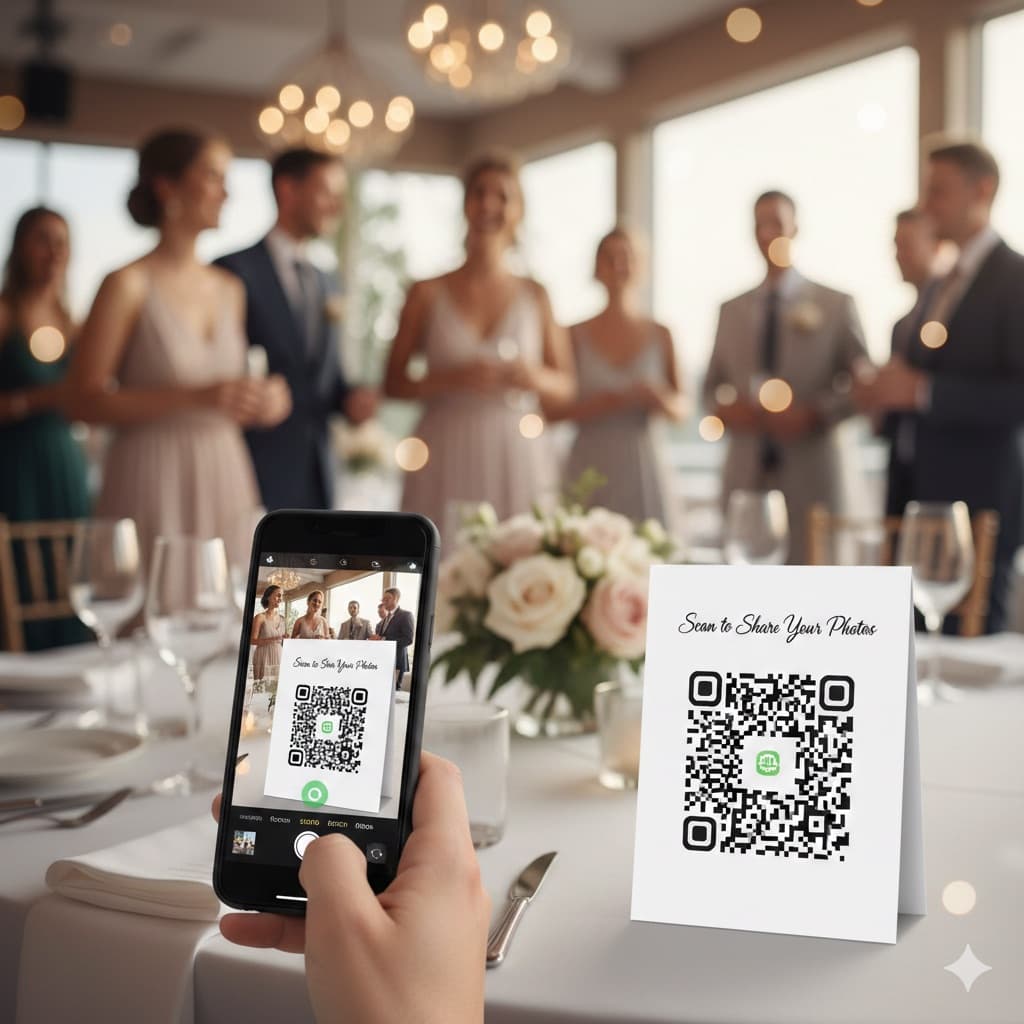
QR Code for Wedding Photos: How It Works and How to Set It Up (2026)
A QR code for wedding photos opens a private upload page in the guest's phone browser, so every guest can add photos without an app. Here is what guests see, what you see, how to print the code and where to put it.
Snapeen vs WedShoots: Honest 2026 Comparison
Snapeen and WedShoots both promise to collect your wedding guests' photos — but one requires an app download and the other doesn't. Here's an honest, numbers-first comparison of participation, pricing, and what you actually get.
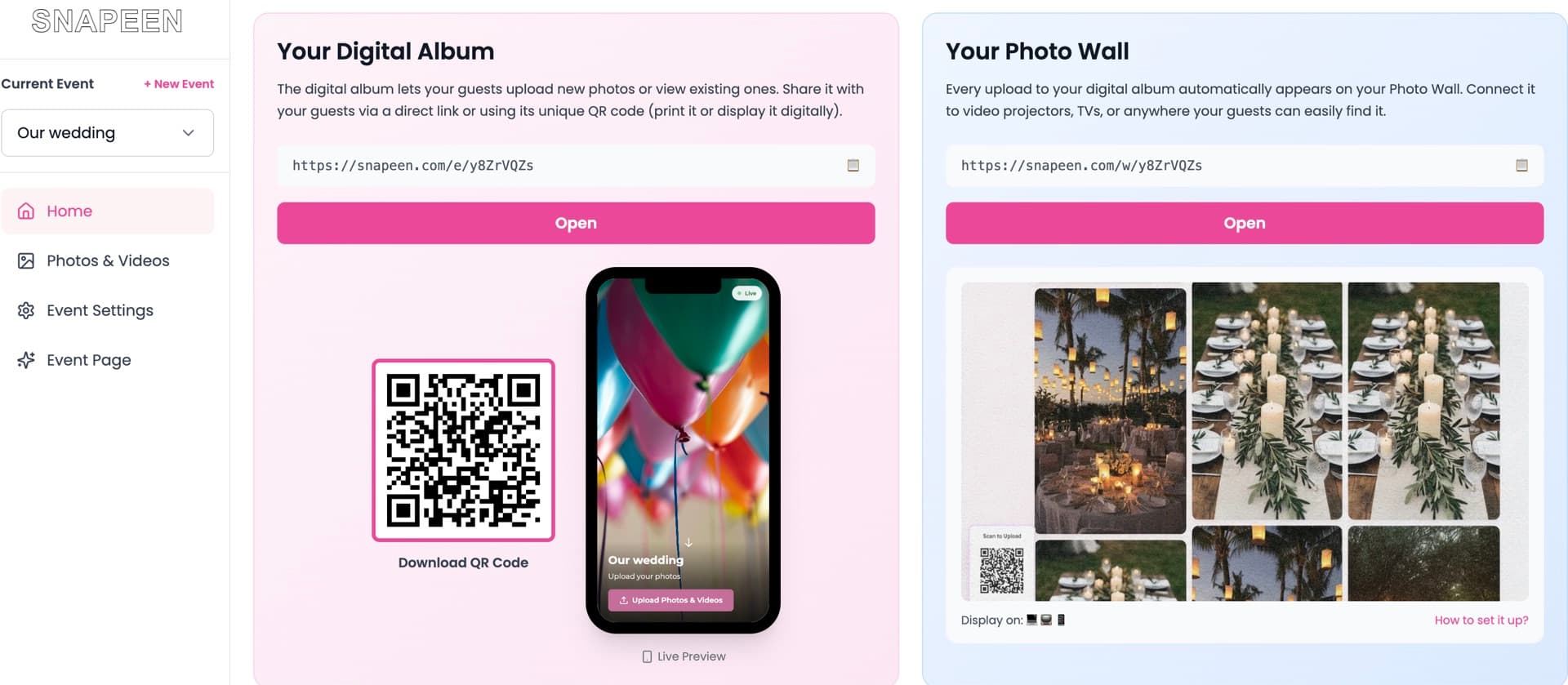
Snapeen Review 2026: Is It Worth It? (Honest Review)
An honest, in-depth Snapeen review for 2026 — what it does, what it costs, real guest participation data, the pros and cons we'd tell a friend, and whether it's the right pick for your wedding.