Wedding Photo Etiquette for Guests: The Dos and Don'ts
From "unplugged" ceremonies to when it's okay to post on Instagram, here's a complete guide to wedding photo etiquette for guests — what to do, what to avoid, and how to actually get your photos to the couple.


Quick Answer
Wedding photo etiquette comes down to a few habits: respect unplugged signage during the ceremony, stay in your seat and skip the flash, save candid shots for cocktail hour and the reception, hold off on posting ceremony photos until the couple has shared their own, and — most importantly — actually send your photos to the couple via their QR code or a text the next day, instead of letting them sit in your camera roll.
Why wedding photo etiquette matters more than you think
Every guest at a wedding has a phone, and almost every guest wants to take photos — of the couple, of the venue, of themselves with old friends they haven't seen in years. None of that is wrong. But a wedding is also someone else's carefully planned, once-in-a-lifetime event, and a few small missteps with a camera can put a dent in it: blocking the photographer's shot during the vows, posting an unflattering photo before the couple has shared anything themselves, or using a flash during a candlelit first dance.
None of this requires guests to leave their phones at home. It just requires a bit of awareness about when phones are useful and when they're not — and what to do with all those photos afterward so the couple actually gets to see them.
Before the ceremony: check for signage
Many couples now have what's called an "unplugged" ceremony — guests are asked to put phones and cameras away for the ceremony itself, so the professional photographer has a clear view and guests are present in the moment rather than filming it.
If you see a sign at the entrance, a note in the program, or hear an announcement from the officiant, that's your cue. It's not personal, and it's not about you specifically — it's a request the couple made deliberately, often after seeing photos from other weddings ruined by a sea of raised phones during the first kiss.
If there's no signage and no announcement, phones during the ceremony are generally fine — just keep reading for how to use them considerately. For a deeper look at unplugged ceremonies and why couples choose them, see Unplugged Wedding: What It Is and How It Works.
During the ceremony: a few simple rules
Even at a ceremony where phones are allowed, a handful of habits make a big difference to the photos the couple ends up with:
Stay in your seat. Stepping into the aisle for a better angle is one of the most common ways guests end up in the professional photographer's shots — sometimes permanently, in the background of the couple's favorite photo of the day.
Turn off your flash and shutter sound. A flash going off during the ring exchange can wash out the couple's expressions in the official photos and is jarring for everyone nearby. Most phones let you mute the shutter sound entirely — do this before the ceremony starts.
Don't livestream unless you've been asked to. Some couples set up a livestream for guests who couldn't attend and designate one person to manage it. If that's not you, holding up a phone for the entire ceremony blocks the view of everyone behind you and competes with the professional video.
Save the standing ovation photo for after. The processional and the first kiss are the two moments guests most want to capture — they're also the two moments couples most want unobstructed in their professional photos. If you only put your phone away for two specific moments, make it these.
Cocktail hour and reception: this is when candids shine
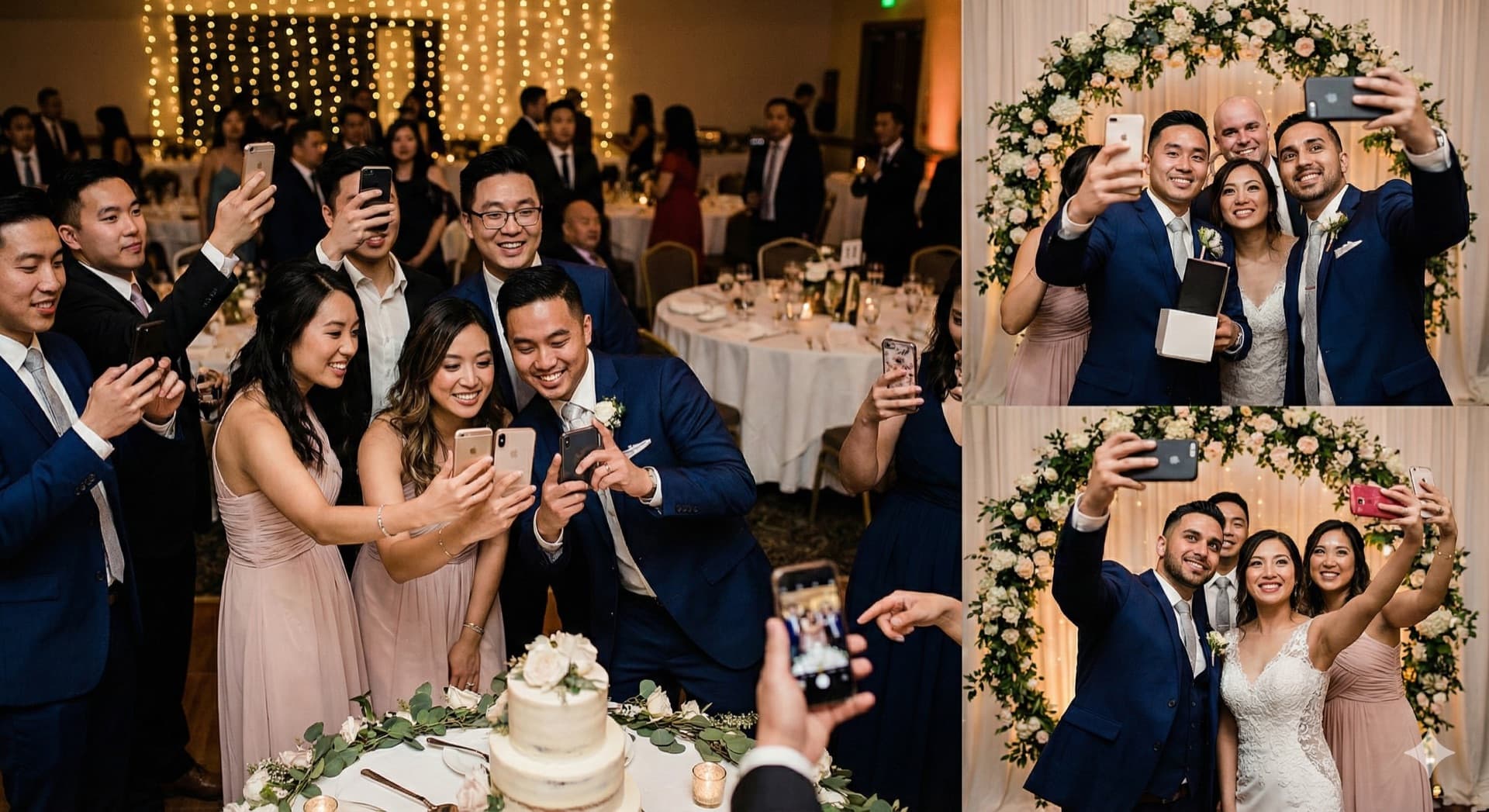
Once the ceremony ends, the etiquette shifts. Cocktail hour and the reception are exactly when guest photos add the most value — these are moments the professional photographer often can't be everywhere for, and candid shots from guests fill in gaps the official album won't have.
Good moments for guest photos:
- Candid table conversations and reactions
- Group photos with friends you don't see often
- The dance floor, once dancing is underway
- Details you notice that the photographer might miss — a grandparent's reaction, kids playing, the cake table before it's cut
A few things to be mindful of:
Don't block the photographer during posed shots. If you see the photographer setting up a formal group photo or a shot of the couple, that's not the moment to step in front with your own phone — wait until they're done, then take your version.
Be careful with photos of other guests. Not everyone wants to be tagged in photos, especially at events where alcohol is involved. If you're posting publicly, a quick "okay if I post this?" goes a long way, particularly for photos that are unflattering or candid in a way someone might not love.
During the first dance and other spotlight moments, give the photographer priority. A few photos from your seat are fine — just don't crowd the dance floor edge with phones raised, which both blocks other guests' view and crowds the photographer's frame.
Social media etiquette: timing, tagging, and what to post
This is where most etiquette questions actually come from, and it's worth taking seriously — a poorly timed post can genuinely upset a couple.
Wait before posting, especially for the ceremony. Many couples want to be the first to share photos from their own wedding — particularly the first kiss, the dress, or any moment they consider "theirs" to reveal. A good rule of thumb: hold off on posting ceremony photos for at least 24 hours, and check whether the couple has shared anything themselves first. Reception and dance floor photos are generally lower-stakes and can be posted sooner.
Use the couple's hashtag if they have one. Many couples set up a wedding hashtag specifically so they can find guest photos later. Using it is a small gesture that genuinely helps them collect memories from the day — and it's an easy way to be helpful without extra effort.
Think twice about unflattering photos. A candid mid-bite or mid-blink photo of the couple or another guest might be funny to you, but it can be the first thing a couple sees from their own wedding day if it's tagged and shows up in their notifications. When in doubt, send it to them privately instead of posting it.
Don't post photos that reveal surprises. If there's a surprise element to the wedding — a surprise performance, a guest who flew in unexpectedly, a gender reveal tucked into the reception — check before posting anything that might spoil it for people who weren't there or who are seeing the couple's posts before the couple does.
Sharing your photos with the couple (the part most guests skip)
Here's the etiquette point that gets the least attention but matters the most to couples after the fact: actually getting your photos to them.
Most guests take dozens of photos at a wedding and then... never send them anywhere. They sit in a camera roll, occasionally get posted to Instagram (where they're compressed and the couple may not see them), and are effectively lost to the people who'd most want to see them.
If the couple has a QR code displayed — on table cards, near the entrance, or on a sign by the bar — that's your easiest path. Scan it, tap upload, and select the photos from your camera roll. With platforms like Snapeen, this takes under a minute, requires no account, and uploads photos at full quality (unlike a text message or social media post, which compress everything).
If there's no QR code, a quick text or email with photos attached the next day is far better than nothing. The couple is sorting through hundreds of photos from their photographer in the weeks after the wedding — your candid shot of their grandmother dancing might be the only photo of that moment that exists.
The etiquette rule, simplified: if you took photos at someone's wedding, the kindest thing you can do with them is make sure the couple actually sees them — not just your followers.
10 things never to do as a wedding guest with a camera
- Don't step into the aisle during the ceremony for a better shot.
- Don't use flash during indoor ceremony moments or the first dance.
- Don't livestream unless you've been specifically asked to.
- Don't post ceremony photos before the couple has shared their own.
- Don't block the professional photographer during posed or formal shots.
- Don't post unflattering candid photos of the couple or other guests without checking first.
- Don't reveal surprises — performances, special guests, announcements — in your posts.
- Don't ignore unplugged signage — it's a deliberate request, not a suggestion.
- Don't keep your photos to yourself — use the QR code or send them along.
- Don't forget to silence your phone before the ceremony starts — notifications during vows are memorable for the wrong reasons.
FAQ
See also: Unplugged Wedding: What It Is, Why Couples Choose It, and How to Make It Work · How to Collect Wedding Photos from Guests · QR Code for Wedding Photos: The Complete 2026 Guide · 10 Creative Ways to Display a Wedding QR Code
Frequently Asked Questions
It can come across that way, especially for ceremony photos like the first kiss or the dress reveal — many couples want to share these moments themselves first. A good rule of thumb is to wait at least 24 hours before posting ceremony photos and to check whether the couple has posted anything yet. Reception and dance floor photos are generally lower-stakes and fine to post sooner.
An unplugged wedding means the couple has asked guests not to use phones or cameras during the ceremony — usually communicated through a sign at the entrance, a note in the program, or an announcement from the officiant. It typically applies only to the ceremony; phones are usually fine during cocktail hour and the reception.
No. A flash going off during the vows or ring exchange can wash out the couple's expressions in the professional photos and is distracting for everyone seated nearby. Most phones allow you to disable the flash and mute the shutter sound — do this before the ceremony starts, even if phones are otherwise allowed.
The easiest way is through a QR code if the couple has one displayed — scanning it opens an upload page where you can share photos directly from your camera roll at full quality, with no account needed. If there's no QR code, sending photos via text or email within a day or two of the wedding is the next best option. Posting to social media alone often means the couple never sees the photo at full quality.
A few photos from your seat are generally fine, but avoid crowding the edge of the dance floor with raised phones — it blocks other guests' view and can interfere with the photographer's shot. This is one of the moments couples most want captured cleanly by their photographer, so guest photos are best taken sparingly and from a distance.
Topics

Written by
Alex Morgan
Helping couples and event planners capture every precious moment with modern QR code photo sharing technology.
Ready to collect your event photos?
Set up your QR code in 2 minutes. Guests scan and upload instantly — no app needed.
Continue Reading
Related Articles
How to Collect Wedding Photos from Guests (Complete 2026 Guide)
The easiest way to collect wedding photos from guests is a QR code — no app needed, 500–1,200 photos in 24 hours. Here's exactly how to set it up, where to display it, and what to do with everything afterward.

10 Ways Couples Lose Wedding Photos (And How to Prevent It)
Don't let precious memories disappear! Learn the most common ways couples lose wedding photos and simple solutions to protect them.

10 Creative Ways to Display a QR Code at Your Wedding (More Uploads)
Where you display your wedding QR code determines how many guest photos you collect. Data from 1,000+ weddings shows which placements drive the most uploads — table cards, bar areas, live slideshows, and 7 more.