Snapeen Review 2026: Is It Worth It? (Honest Review)
An honest, in-depth Snapeen review for 2026 — what it does, what it costs, real guest participation data, the pros and cons we'd tell a friend, and whether it's the right pick for your wedding.

Quick Answer
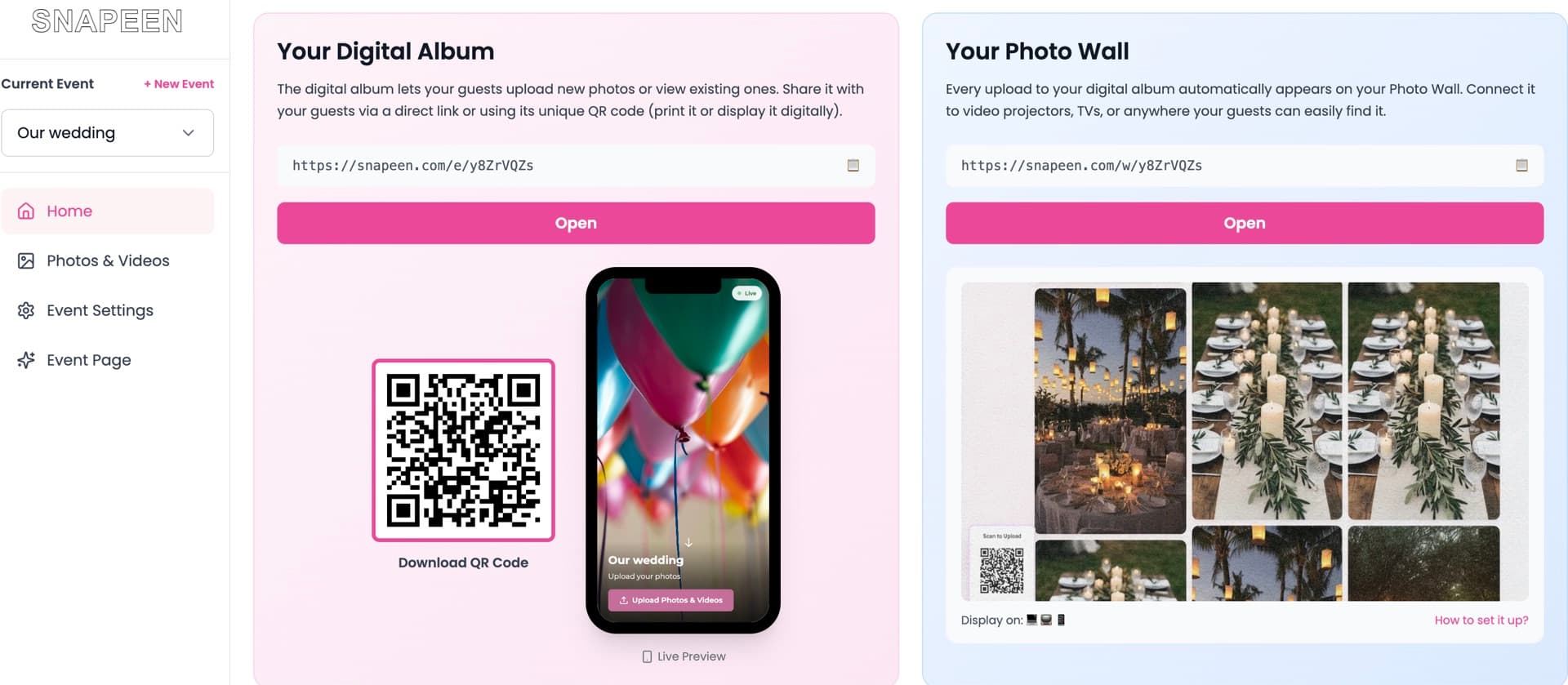
Snapeen is a browser-based QR code platform for collecting wedding guest photos and videos — no app download required. It sees 65–85% guest participation across 1,000+ weddings, compared to 30–45% for app-based platforms, because there's only one step between scanning the code and uploading a photo. Pricing runs free (50 photos, 7-day storage) up to $49.99 Premium (unlimited photos, live slideshow, 90-day storage). The only habit to build: download your full gallery before the storage window closes.
Quick answer
Snapeen is a browser-based QR code platform for collecting photos and videos from wedding guests — no app download required. Guests scan a code, tap upload, and their photos land in your gallery within seconds. Across 1,000+ weddings, it sees 65–85% guest participation, compared to 30–45% for app-based alternatives. Pricing starts free (50 photos, 5 videos, 7-day storage) and tops out at $49.99 for unlimited photos with a live slideshow. The honest verdict: for the vast majority of weddings, it's the easiest and most effective way to collect guest photos — the main thing to watch is the storage window, since you need to download your full gallery before it expires.
This review breaks down what Snapeen actually does, what it costs, where it falls short, and who it's right for.
What is Snapeen?
Snapeen is a QR-code-based photo and video sharing platform built specifically for events — weddings, birthdays, corporate parties, baby showers, and similar gatherings. The core idea: instead of asking guests to email, text, or AirDrop their photos to you individually (or downloading yet another app), you give them a single QR code. They scan it with their phone's built-in camera, land on a simple upload page in their browser, and submit photos and videos directly — no account, no login, no app store.
On the host side, every uploaded photo appears in a private dashboard in real time, which you can browse, download individually, or export as a single ZIP file once the event is over.
It launched targeting weddings specifically, which is still its strongest use case, but the same QR-code-and-browser model works for any event where you want to crowdsource guest photos without friction.
How Snapeen works
- Create an event. Sign up at snapeen.com and name your event — takes about two minutes.
- Download your QR code. Snapeen generates a high-resolution QR code image you can download immediately.
- Print and display it. Put it on table cards, a welcome sign, near the bar — wherever guests will see it. (For placement strategy, see our guide on where to display a wedding QR code.)
- Guests scan and upload. A guest points their phone's camera at the code, taps the link that pops up, and uploads photos straight from their camera roll. The whole process takes under 30 seconds.
- Photos land in your dashboard instantly. You can watch uploads arrive in real time, and — on the Premium plan — display them live on a venue screen as a slideshow.
Features: what you actually get
QR code photo and video uploads. The core feature. Works for photos and videos, no compression, no app required.
Dashboard. Every upload appears in your private gallery as it happens. Browse by guest, by time, or just scroll the whole feed.
Live slideshow (Premium plan). Connect a laptop to a venue screen or projector and guest photos appear automatically as they're uploaded — a popular reception feature that also drives more uploads, since guests who see their own photo on screen tend to come back and upload more.
Branded event page (Premium plan). Your upload page can be customized with your names, wedding colors, and a custom URL slug instead of a generic one.
Bulk download. Once your storage window is ending or the event is over, download every photo and video as a single ZIP rather than one by one.
No guest accounts. Guests never create a login or hand over an email address to use the platform — a meaningful privacy plus, and also the reason participation is high. Nothing to set up means nothing to abandon halfway through.
Pricing breakdown
| Plan | Price | What you get |
|---|---|---|
| Free | $0 | 50 photos, 5 videos, 7-day storage |
| One-Time | $24.99 | 200 photos, 30-day storage, custom QR code (no watermark) |
| Premium | $49.99 | Unlimited photos & videos, 90-day storage, live slideshow, branded event page, priority support |
For most weddings under 80 guests, the One-Time plan is enough. Once you're past 80–100 guests, or you want the live slideshow running at the reception, Premium is the better value — and it's a one-time fee either way, not a subscription.
Does it actually work? Participation data
The number that matters most for any photo-collection tool is how many guests actually use it — not how nice the dashboard looks. Across more than 1,000 weddings on the platform, Snapeen sees 65–85% guest participation: roughly two-thirds to five-sixths of invited guests upload at least one photo.
For comparison, app-based platforms that require a download and account creation typically see 30–45% participation — guests abandon the process at the install step before they ever reach "upload." At a 150-guest wedding, that gap is the difference between roughly 650–1,100 guest photos and 320–680.
The mechanism is simple: every additional step between "see the QR code" and "photo uploaded" loses a percentage of guests. Snapeen has exactly one step — scan, then upload. There's nothing else for a guest to abandon partway through.
A real example: 120-guest wedding
Picture a 120-guest wedding running table cards, a bar placement, and the live slideshow. Roughly 80–100 guests scan the code at some point during the night, and the vast majority upload within 30 seconds of scanning — at their table, waiting for a drink, or between dances. By the end of the night, the gallery holds somewhere between 550 and 900 photos. The slideshow keeps cycling new photos all evening, which is also why uploads tend to keep climbing well past the point most couples expect them to stop.
Pros and cons
Pros:
- No app download for guests — works on any smartphone camera
- High participation rate (65–85%) backed by real data across 1,000+ weddings
- Original photo and video quality, no compression
- Free tier to test before paying anything
- One-time pricing, not a subscription
- Live slideshow creates a genuinely fun reception moment
- Setup takes under 5 minutes
Cons:
- Storage is time-limited (7/30/90 days depending on plan) — you have to remember to download your gallery before it expires
- Live slideshow and branded page are Premium-only features
- Gallery browsing and search are more basic than some dedicated app-based competitors
- No native mobile app for hosts — the dashboard is browser-based only
None of the cons are dealbreakers, but the storage window is the one thing worth a calendar reminder for. Download your full gallery within the first week after the event, before the honeymoon or thank-you-card chaos makes it easy to forget.
Is Snapeen legit and safe to use?
Yes. Snapeen doesn't require guests to create accounts or hand over personal information beyond what they choose to upload, which limits the data collected in the first place. Photos and videos belong to the host and the guests who took them — Snapeen doesn't claim ownership or use uploaded content for anything beyond delivering it to the event gallery. Storage windows are stated clearly upfront on each plan, so there's no surprise deletion — you know exactly how long you have to download your gallery when you choose a plan.
Does Snapeen delete my photos?
Only if you let the clock run out — and there's a way to remove the clock entirely. Every standard plan states its storage window upfront: 7 days on Free, 30 days on One-Time, 90 days on Premium. During that window you can download your complete gallery as a ZIP file at any time, as many times as you want. Some competitor comparison pages frame the storage window as a hidden catch — it isn't hidden, and it isn't unusual: the countdown is displayed on your dashboard from day one, and downloading a fresh backup is a habit you should have with any photo platform. But if you'd rather never think about deadlines at all, Snapeen Memories ($49/year or $5.99/month) keeps every photo and video from every event you host — past and future — stored permanently, with no countdown. Between a one-click ZIP download and a keep-forever subscription, the only way to actually lose your photos is to do neither.
Who Snapeen is best for — and who it isn't
Best for:
- Weddings of any size, especially 80+ guests where maximizing photo collection matters
- Mixed-age guest lists, including guests over 60 who may not want to download an app
- Couples who want original-quality photos for a photo book or prints afterward
- Anyone who wants to test for free before committing to a paid plan
Probably not for:
- Very small, uniformly young, tech-comfortable guest lists who specifically want a polished in-app browsing experience over raw photo volume — see our Snapeen vs WedShoots comparison for that trade-off in detail
- Hosts who want a permanent, unlimited-time archive without ever exporting — the storage window means you do need to download at some point
How it compares to alternatives
Against WedShoots, the closest app-based competitor, Snapeen wins decisively on participation (65–85% vs 35–45%) because there's no app to install. WedShoots's in-app gallery is more polished out of the box, but that polish doesn't matter for photos that were never uploaded. Full breakdown: Snapeen vs WedShoots: Honest 2026 Comparison.
Against free options like a WhatsApp group or a Google Photos shared album, Snapeen wins on photo quality (no compression) and organization (a dedicated gallery instead of a buried chat thread), for a modest one-time fee. Full roundup of seven platforms: Best Wedding Photo Apps 2026.
Our rating
| Category | Score |
|---|---|
| Ease of use | 4.9 / 5 |
| Guest participation | 4.8 / 5 |
| Pricing | 4.7 / 5 |
| Features | 4.4 / 5 |
| Customer support | 4.3 / 5 |
| Overall | 4.7 / 5 |
Final verdict
Snapeen does one thing — collecting guest photos with minimal friction — and does it better than almost anything else on the market, because the entire guest-side experience is a QR code scan and a tap. The pricing is fair, the free tier means there's no real risk in trying it, and the participation data holds up across 1,000+ weddings. The only habit you need to build is downloading your gallery before the storage window closes. For a wedding, birthday, or any event where you want more than the dozen photos your photographer caught, it's worth setting up.
FAQ
See also: Snapeen vs WedShoots: Honest 2026 Comparison · Best Wedding Photo Apps 2026 (Ranked & Reviewed) · How to Set Up a Wedding QR Code in Under 5 Minutes
Frequently Asked Questions
Standard plans have a clearly stated storage window — 7 days (Free), 30 days (One-Time), 90 days (Premium) — during which you can download your full gallery as a ZIP at any time. If you want everything kept permanently, the Snapeen Memories subscription ($49/year or $5.99/month) stores every photo and video from all your events forever, with no countdown.
Yes. Snapeen doesn't require guests to create accounts or share personal information beyond the photos they choose to upload, which limits the data collected in the first place. Storage windows (7, 30, or 90 days depending on plan) are stated clearly upfront, so there's no surprise deletion — hosts know exactly how long they have to download their gallery. The platform has been used across 1,000+ real weddings.
Snapeen has three tiers: a free plan (50 photos, 5 videos, 7-day storage), a One-Time plan at $24.99 (200 photos, original quality, 30-day storage, custom QR code without a watermark), and a Premium plan at $49.99 (unlimited photos and videos, 90-day storage, live slideshow, branded event page, priority support). All plans are a one-time fee per event, not a recurring subscription.
No. Guests scan a QR code with their phone's built-in camera, which opens an upload page in their browser. They select photos from their camera roll and tap upload — no app store, account, or login involved. This is the main reason Snapeen sees 65–85% guest participation, compared to 30–45% for platforms that require an app download.
Storage depends on your plan: 7 days on the free plan, 30 days on the One-Time plan, and 90 days on Premium. Download your full gallery as a ZIP file before your storage window closes — set a reminder for the week after your event, since it's easy to forget during the post-wedding rush.
No. While weddings are its strongest use case, the same QR-code-and-browser model works for any event where you want to collect guest photos without friction — birthday parties, baby showers, corporate events, graduations, and more. The setup process is identical regardless of event type.
For most weddings, yes — primarily because Snapeen requires no app download, which produces meaningfully higher guest participation (65–85% vs 30–45% for app-based competitors like WedShoots). The exception is small, uniformly young, tech-comfortable guest lists that specifically value a polished in-app gallery over raw photo volume. See our full breakdown in [Snapeen vs WedShoots](/blog/snapeen-vs-wedshoots) and [Best Wedding Photo Apps 2026](/blog/best-wedding-photo-apps-2026).
Topics

Written by
Alex Morgan
Helping couples and event planners capture every precious moment with modern QR code photo sharing technology.
Ready to collect your event photos?
Set up your QR code in 2 minutes. Guests scan and upload instantly — no app needed.
Continue Reading
Related Articles
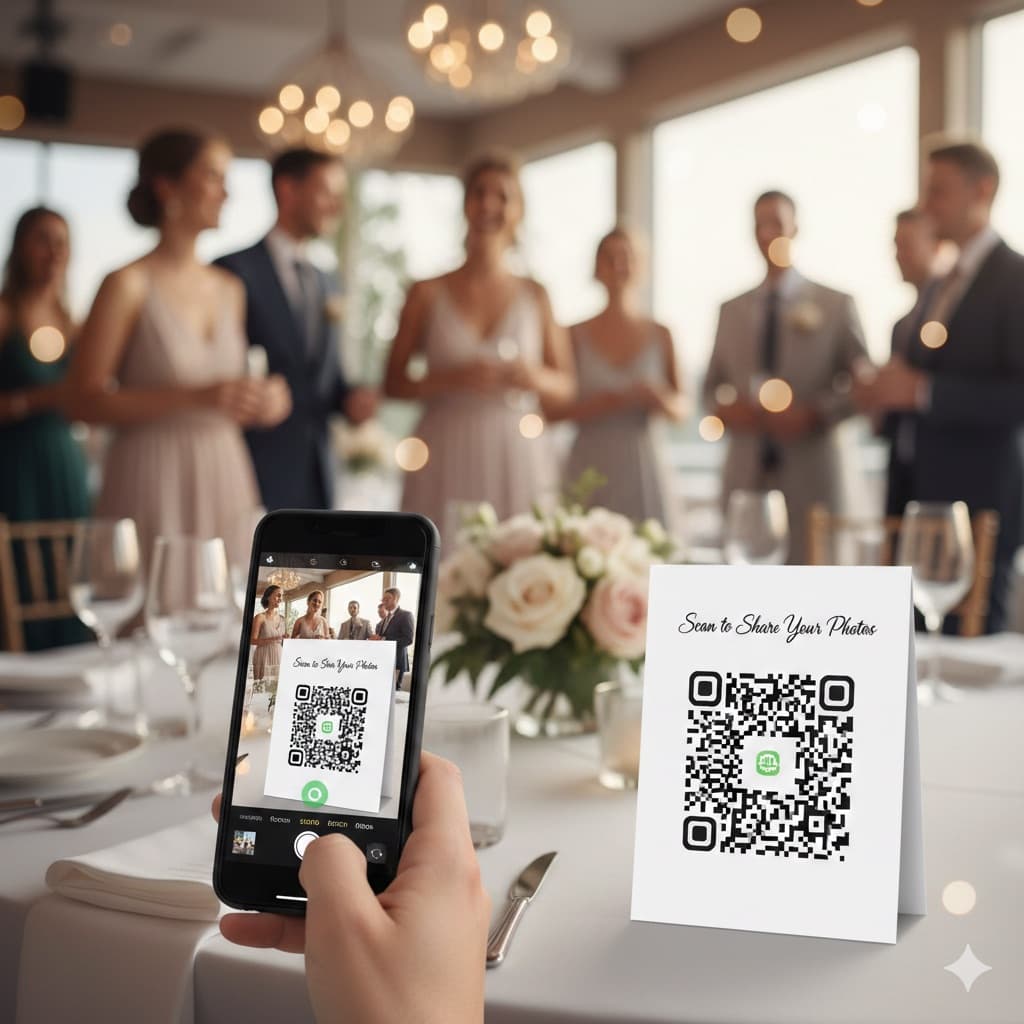
QR Code for Wedding Photos: The Complete 2026 Guide
A wedding photo QR code lets guests upload photos instantly in their browser — no app needed. Couples collect an average of 850 photos. Here's exactly how it works, how the top apps compare, where to place your code, and a complete setup checklist.
Best Wedding Photo Apps 2026 (Ranked & Reviewed)
9 wedding photo apps ranked by participation rate, photo quality, setup time, and cost — including GuestPix, GuestCam, POV, and WedShoots. Browser-based QR code platforms collect 2× more photos than app-based alternatives.
Snapeen vs WedShoots: Honest 2026 Comparison
Snapeen and WedShoots both promise to collect your wedding guests' photos — but one requires an app download and the other doesn't. Here's an honest, numbers-first comparison of participation, pricing, and what you actually get.