Snapeen vs WedShoots: Honest 2026 Comparison
Snapeen and WedShoots both promise to collect your wedding guests' photos — but one requires an app download and the other doesn't. Here's an honest, numbers-first comparison of participation, pricing, and what you actually get.

Quick Answer
Snapeen is browser-based — guests scan a QR code and upload through their phone's browser, no app needed — and gets 65–85% guest participation. WedShoots requires an app download, account creation, and event code entry, which puts participation at 35–45%. At 150 guests, that's roughly 650–1,100 photos via Snapeen vs 320–680 via WedShoots. WedShoots's in-app gallery is more polished and can make sense for small, young, tech-comfortable guest lists — but for most weddings, the no-download model collects significantly more photos at a lower price.
Quick answer
If you're deciding between Snapeen and WedShoots for collecting wedding photos from guests, here's the short version: Snapeen is browser-based — guests scan a QR code and upload through their phone's camera and browser, no app required — and gets 65–85% guest participation. WedShoots is app-based — guests download the app from the App Store or Google Play, create an account, and upload there — which puts participation at 35–45%.
For a 150-guest wedding, that gap is the difference between roughly 700–900 guest photos and roughly 300–400. WedShoots's in-app gallery is more polished and better organized out of the box. But for the vast majority of weddings, the no-download approach wins, because the only metric that ultimately matters is how many guests actually upload something.
This comparison breaks down both platforms side by side — how they work, what they cost, and which situations actually favor WedShoots.
How Snapeen works
- Create your event on snapeen.com — takes about 2 minutes, no app to install on your end either.
- Download your QR code as a high-resolution image and print it on table cards, signs, or your invitations.
- Display it at your venue — table cards, the bar, the entrance, wherever guests will see it.
- Guests scan with their phone's built-in camera. A link pops up, opens in the browser, and they tap "Upload Photos." That's the entire guest journey — no App Store, no account, no password.
- Photos appear in your dashboard in real time, and on a venue screen too if you're running the live slideshow (Premium plan).
Total guest-side time from scan to uploaded photo: under 30 seconds.
How WedShoots works
- Host creates an event through WedShoots's web dashboard and gets a unique event code.
- Share the code with guests — typically printed on a card, included in the program, or texted out.
- Each guest downloads the WedShoots app from the App Store or Google Play.
- Guest creates an account (or signs in if they already have one from a previous wedding).
- Guest enters the event code to join your gallery.
- Guest uploads photos through the app, where they land in an organized, searchable gallery.
Total guest-side time from "see the code" to uploaded photo: roughly 3–5 minutes, assuming the download and account creation go smoothly. For guests with limited storage, a slow connection, or who simply don't want another app on their phone, this step often doesn't happen at all.
The core difference: browser vs. app
Every other feature comparison is secondary to this one. WedShoots's gallery, search, and filtering tools are genuinely good — better organized than Snapeen's out of the box. But none of that matters for photos that were never uploaded in the first place.
The app install step is where participation is won or lost. Data across app-based platforms consistently shows a 35–50 percentage point drop-off compared to browser-based alternatives. Some guests don't want to use storage on a one-time-use app. Some are on older phones where the download is slow. Some simply decide it's not worth the friction in the middle of a reception and never come back to it. Every one of those guests represents photos you'll never see — candid shots from their table, photos from the dance floor, moments your photographer wasn't positioned to catch.
Snapeen removes that step entirely. A QR code scan opens a webpage the same way scanning a restaurant menu code does. There's nothing to install, nothing to remember a password for, and nothing that takes up space on a guest's phone afterward.
Participation rates: the number that decides everything
| Snapeen | WedShoots | |
|---|---|---|
| Guest participation rate | 65–85% | 35–45% |
| At a 100-guest wedding | 65–85 contributors | 35–45 contributors |
| At a 150-guest wedding | 98–128 contributors | 53–68 contributors |
| Average photos per contributor | 6–10 | 6–10 |
| Estimated total photos (150 guests) | 590–1,280 | 320–680 |
These ranges come from how the upload step is structured, not from any difference in how excited guests are to participate. Guests want to share their photos either way — the question is whether the platform makes that easy enough that they actually do it before the night ends.
Setup time: for the host
Both platforms are reasonably quick to set up on the host side, but Snapeen has the edge:
- Snapeen: Create an account, name your event, download the QR code. Under 5 minutes, and you can do it from your phone the week of the wedding if you're behind on planning.
- WedShoots: Create an account, set up your event, generate the event code, and prepare the materials guests will need to find and download the app (signage that explains the process, not just a code). 10–15 minutes, and the explanation guests need is more involved than "scan this."
Pricing: what you'll actually pay
| Snapeen | WedShoots | |
|---|---|---|
| Free tier | Yes — 50 photos, 5 videos, 7-day storage | No |
| Entry paid plan | $24.99 one-time — 200 photos, original quality, 30-day storage | — |
| Full plan | $49.99 Premium — unlimited photos/videos, 90-day storage, live slideshow, branded page | $49–99 per event |
| Live slideshow | Yes (Premium plan) | Yes |
| Photo quality | Original | Original |
At the top end, Snapeen's $49.99 Premium plan and WedShoots's $49–99 pricing overlap — but Snapeen's Premium plan is unlimited, while WedShoots's pricing typically scales with guest count or storage. For a wedding under 80 guests, Snapeen's $24.99 One-Time plan covers the same need at roughly a third of WedShoots's starting price.
Photo quality and live features
Both platforms deliver original-quality photos — neither compresses uploads the way WhatsApp or Instagram do, so both are suitable if you plan to print photos or build a photo book afterward.
Both also offer a live slideshow — guest photos displayed on a screen at the venue as they're uploaded. This is one area where WedShoots's feature set genuinely matches Snapeen's. The difference is reach: a live slideshow is only as good as the number of photos feeding it, and a 65–85% participation rate produces a noticeably more active, engaging slideshow than a 35–45% rate.
Where WedShoots pulls ahead is gallery organization. Its in-app gallery includes filtering, search, and a more polished browsing experience than Snapeen's dashboard. If you're the type of couple who wants to spend an evening scrolling through a beautifully laid-out gallery on your phone, that's a real advantage — just one that applies to whatever photos made it into the gallery in the first place.
A real-world example: 150-guest wedding
Imagine two identical weddings, both with 150 guests, both running the platform's recommended setup (table cards, a DJ announcement, and the live slideshow active).
With Snapeen: Roughly 100–125 guests scan a QR code at some point during the night. Most upload within 30 seconds of scanning — at their table, at the bar, or while waiting for a drink. By the end of the night, the gallery has 650–1,100 photos. The live slideshow has been cycling through new photos all evening, and guests keep checking it because they recognize themselves on screen.
With WedShoots: The DJ or a sign explains that guests need to download the WedShoots app and enter a code to join the gallery. Maybe 80–100 guests start the process. Of those, 53–68 complete the download, account creation, and code entry — the rest get distracted, decide it's not worth it, or run into an app store issue and give up. By the end of the night, the gallery has 320–680 photos — roughly half of what the same guest list produced through Snapeen.
Both platforms "worked" in the sense that nothing broke. The difference is entirely in how many guests made it through to the upload step.
Where WedShoots holds its own
This comparison wouldn't be honest without acknowledging where WedShoots is a reasonable choice:
Small, young, app-comfortable guest lists. If your wedding is under 50 guests, everyone is under 35, and most of your friend group already has three event apps on their phone from other weddings, the install barrier is much lower. In that scenario, WedShoots's 35–45% participation estimate may understate what actually happens.
You specifically want a curated, app-native gallery experience. If browsing through guest photos in a dedicated app — with search, filters, and a polished interface — matters more to you than maximizing the raw number of photos collected, WedShoots's gallery is genuinely better designed than a browser-based dashboard.
You're comfortable spending more for that experience. At $49–99 per event, WedShoots costs 2–4× what Snapeen's comparable Premium plan costs. If the in-app experience is worth that premium to you, that's a legitimate trade-off.
For everyone else — mixed-age guest lists, weddings over 80 guests, anyone who wants to maximize the number of candid photos collected, or anyone who'd rather not ask 150 people to download an app — the no-download model wins on the metric that matters most.
Full comparison table
| Snapeen | WedShoots | |
|---|---|---|
| Type | Browser-based, no download | App-based |
| Guest participation | 65–85% | 35–45% |
| Photo quality | Original | Original |
| Setup time (host) | Under 5 minutes | 10–15 minutes |
| Guest upload time | Under 30 seconds | 3–5 minutes (if completed) |
| Live slideshow | Yes (Premium) | Yes |
| Free tier | Yes | No |
| Starting price | Free | $49–99 |
| Best for | Most weddings, mixed-age guest lists, 80+ guests | Small, young, tech-comfortable guest lists wanting a curated app gallery |
Which one should you choose?
If you want to maximize the number of guest photos you collect — which is the goal for the vast majority of couples — Snapeen is the better choice. The no-download model consistently produces roughly double the participation of app-based platforms, at a lower price, with a free tier to test before you commit.
If your guest list is small, uniformly young, and already comfortable installing event apps, and you specifically value a polished in-app gallery over raw photo volume, WedShoots is a reasonable alternative — just budget for a meaningfully smaller final collection.
FAQ
See also: Best Wedding Photo Apps 2026 (Ranked & Reviewed) · How to Set Up a Wedding QR Code in Under 5 Minutes · Wedding Photo App vs WhatsApp Group · How to Collect Photos from 200+ Wedding Guests
Frequently Asked Questions
For most weddings, yes — primarily because Snapeen requires no app download. Guests scan a QR code and upload through their phone's browser, which produces 65–85% guest participation compared to WedShoots's 35–45%. WedShoots's in-app gallery is more polished, which can matter for small, young, tech-comfortable guest lists that prioritize a curated experience over raw photo volume.
Yes. Guests need to download the WedShoots app from the App Store or Google Play, create an account, and enter an event code to join the gallery. This extra step is the main reason WedShoots's participation rate (35–45%) runs lower than browser-based platforms like Snapeen (65–85%).
WedShoots costs $49–99 per event with no free tier. Snapeen offers a free plan (50 photos, 5 videos, 7-day storage), a $24.99 One-Time plan (200 photos, 30-day storage), and a $49.99 Premium plan (unlimited photos, 90-day storage, live slideshow). At the top end, Snapeen's Premium plan matches or undercuts WedShoots's starting price while offering unlimited storage.
Yes. Guests scan a QR code with their phone's camera, which opens an upload page in their browser. They select photos and tap upload — no account, login, or app download required. This is the main structural difference from WedShoots, which requires an account and app installation.
Snapeen. Browser-based QR code platforms only require a guest to use their phone's camera, which works the same way on any modern smartphone regardless of age or tech comfort. App-based platforms like WedShoots require finding the right app store, downloading, and creating an account — steps that see significantly lower completion rates among guests over 60.
Topics

Written by
Alex Morgan
Helping couples and event planners capture every precious moment with modern QR code photo sharing technology.
Ready to collect your event photos?
Set up your QR code in 2 minutes. Guests scan and upload instantly — no app needed.
Continue Reading
Related Articles
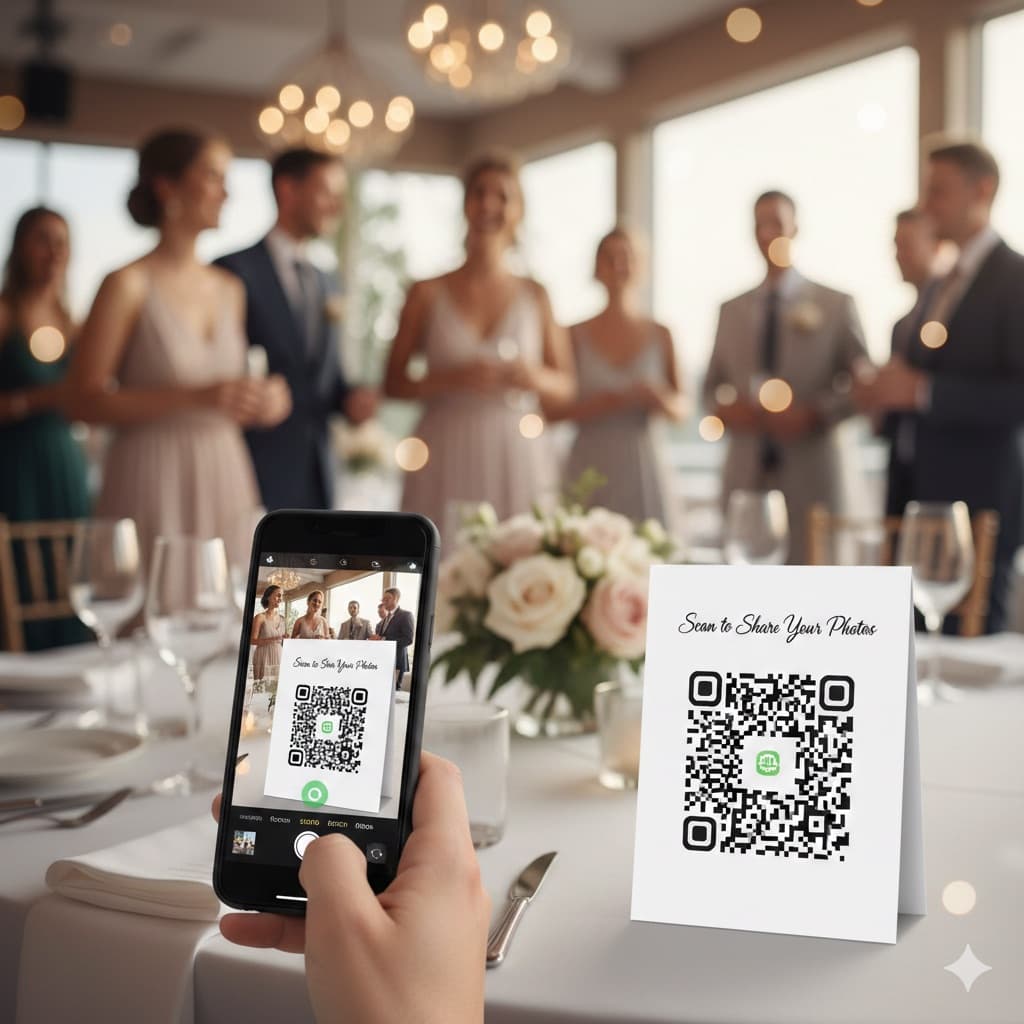
QR Code for Wedding Photos: The Complete 2026 Guide
A wedding photo QR code lets guests upload photos instantly in their browser — no app needed. Couples collect an average of 850 photos. Here's exactly how it works, how the top apps compare, where to place your code, and a complete setup checklist.
Best Wedding Photo Apps 2026 (Ranked & Reviewed)
9 wedding photo apps ranked by participation rate, photo quality, setup time, and cost — including GuestPix, GuestCam, POV, and WedShoots. Browser-based QR code platforms collect 2× more photos than app-based alternatives.
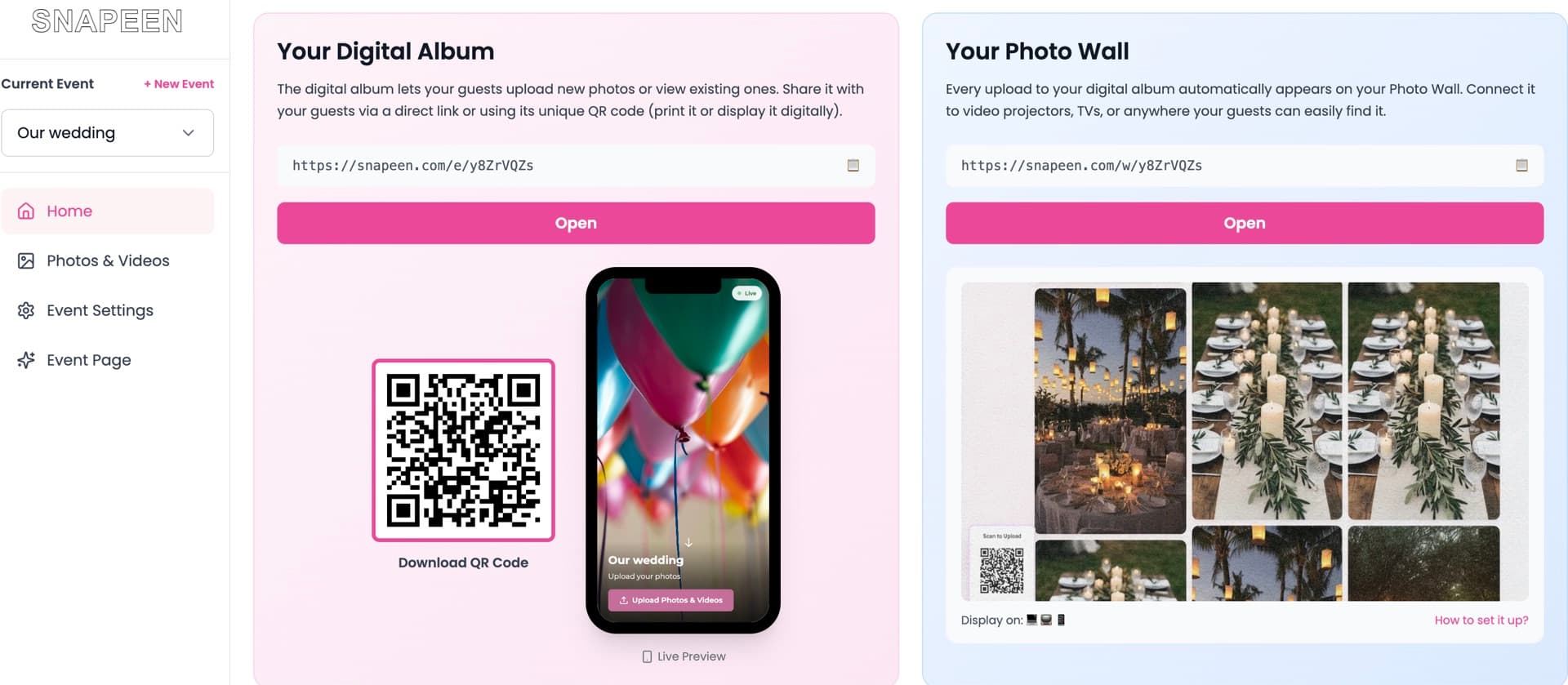
Snapeen Review 2026: Is It Worth It? (Honest Review)
An honest, in-depth Snapeen review for 2026 — what it does, what it costs, real guest participation data, the pros and cons we'd tell a friend, and whether it's the right pick for your wedding.